11 / Independent Product / Design + Build
getIMAGEpress
Convert or compress an image, then understand and download the output.
Explore the website ↗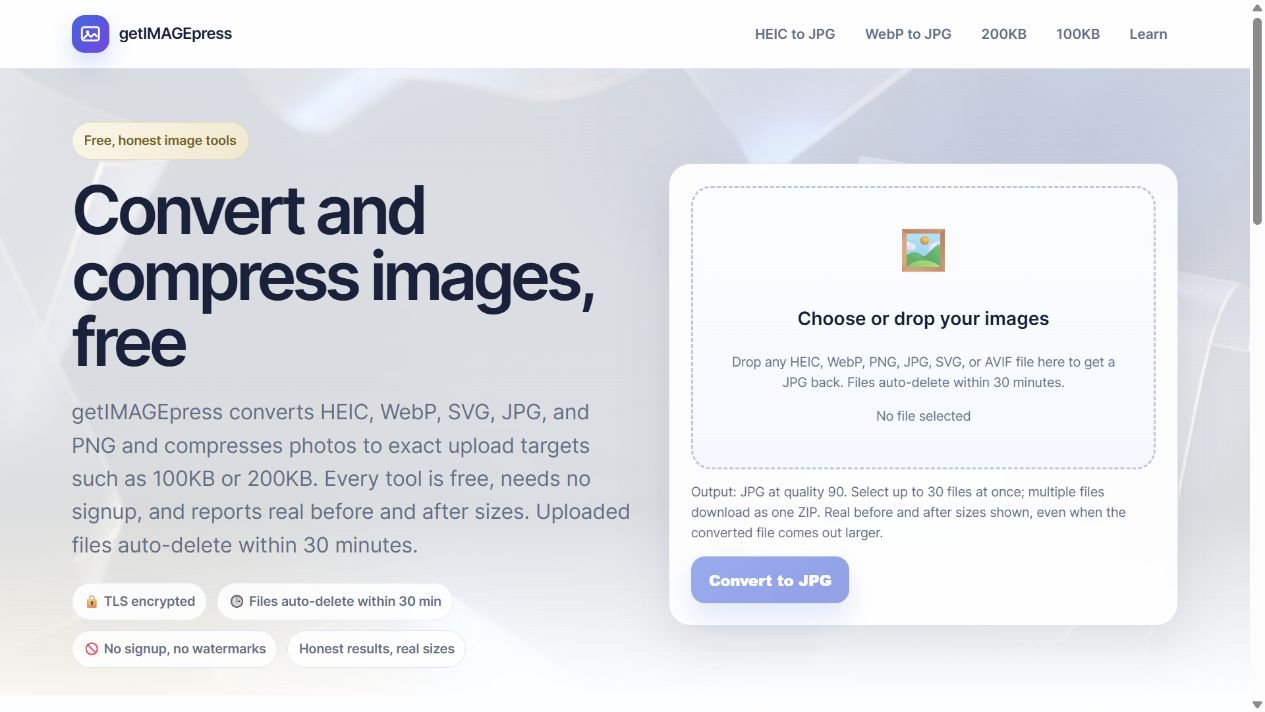
The task
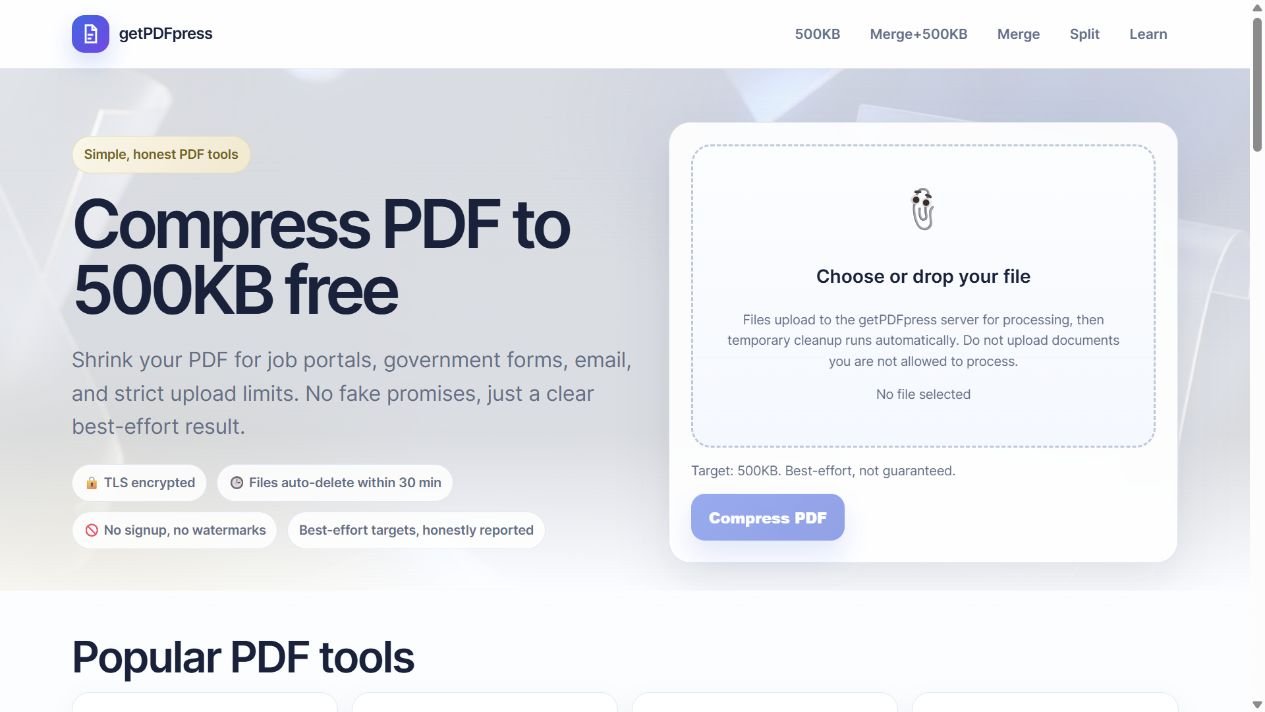
Images arrive in different formats and sizes. Preparing one for a website or upload form should not require a full editing application.
My contribution
I designed and built getIMAGEpress around practical image-preparation tasks. The interface connects tool selection, file upload, output settings and downloads in one consistent flow.
The approach
Focused conversion and compression tools with explicit format choices, file limits and downloadable results.
What shipped
A shipped image utility supporting conversion, compression and batch downloads.
Visual System
Color
Typeface
Inter / System Sans
AaBbCc Gg Qq 0123456789
Interface typography with platform sans-serif fallbacks.
Actions & patterns
Consistent uploader, format controls and primary actions across image tasks.
Explore the actual work
Choose a format. Get the file ready.
Explore format choices, file limits and upload controls in the product interface. Open getIMAGEpress to convert or compress a file.
01
The task & my contribution
The problem
Images arrive in different formats and sizes. Preparing one for a website or upload form should not require a full editing application.
My contribution
I designed and built getIMAGEpress around practical image-preparation tasks. The interface connects tool selection, file upload, output settings and downloads in one consistent flow.
02
Format & feedback decisions
Different actions, relevant controls
Conversion foregrounds the output format. Compression foregrounds the size goal. Keeping settings tied to the selected action reduces competing decisions.
Make batch feedback useful
The interface keeps file limits and result information close to the upload. Successful outputs stay understandable when a batch includes a file that cannot be processed.
- 01
Choose images
- 02
Select action
- 03
Process
- 04
Inspect outputs
- 05
Download
03
Functional & interaction QA
Functional review
Sample PNG files were used to check JPG conversion, compression output and invalid-format handling. File and batch-limit wording was reviewed against the implementation.
04
Reusable systems
Reusable tool patterns
Shared upload controls, file feedback, settings and download actions connect related image tasks. A common style foundation keeps the task pages consistent.
05
Design through implementation
Working image processing
Node.js and Express serve the tool. Sharp handles conversion and compression, while Multer supports uploads. The interface exposes output choices and processing results.
06
Accessibility
Labels and useful feedback
Text labels identify formats and actions. File selection, processing feedback and result descriptions provide a reading path alongside the visual controls.
07
The finished work
Delivered
A shipped image utility supporting conversion, compression and batch downloads.
Delivered work
Shipped independent web tool