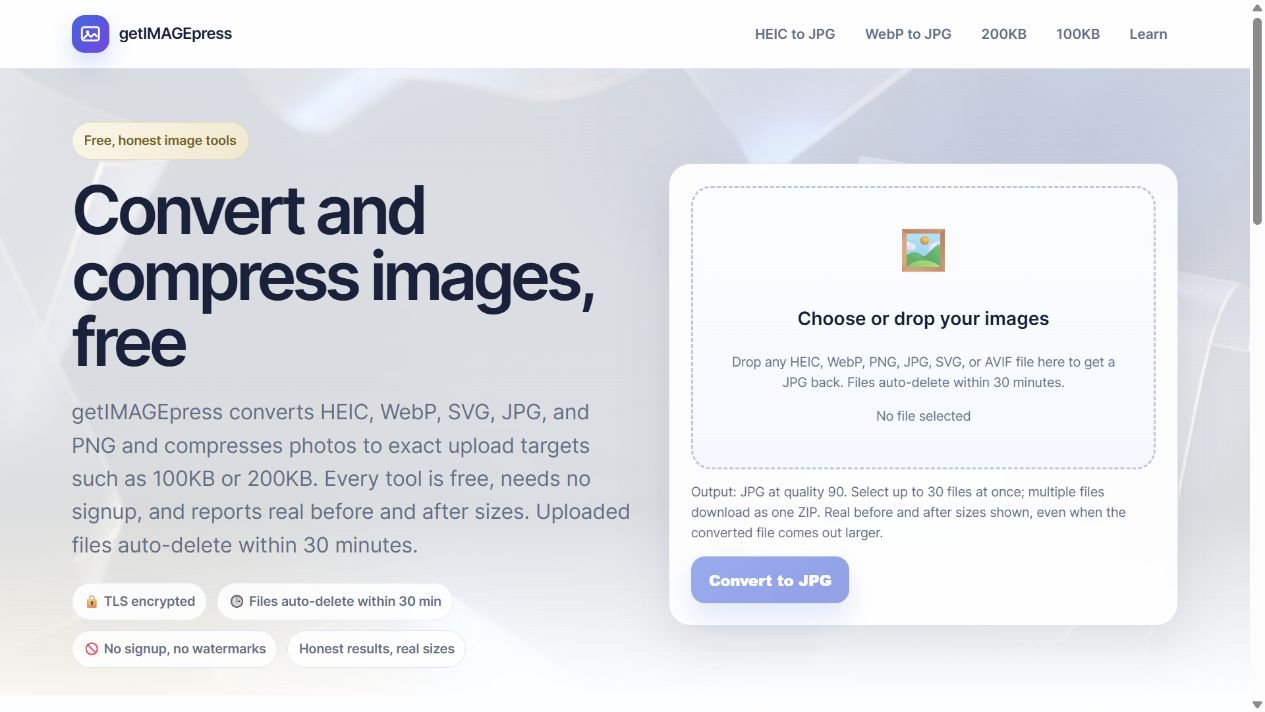
10 / Independent Product / Design + Build
getPDFpress
Prepare a PDF for an upload limit, then know what to do next.
Explore the website ↗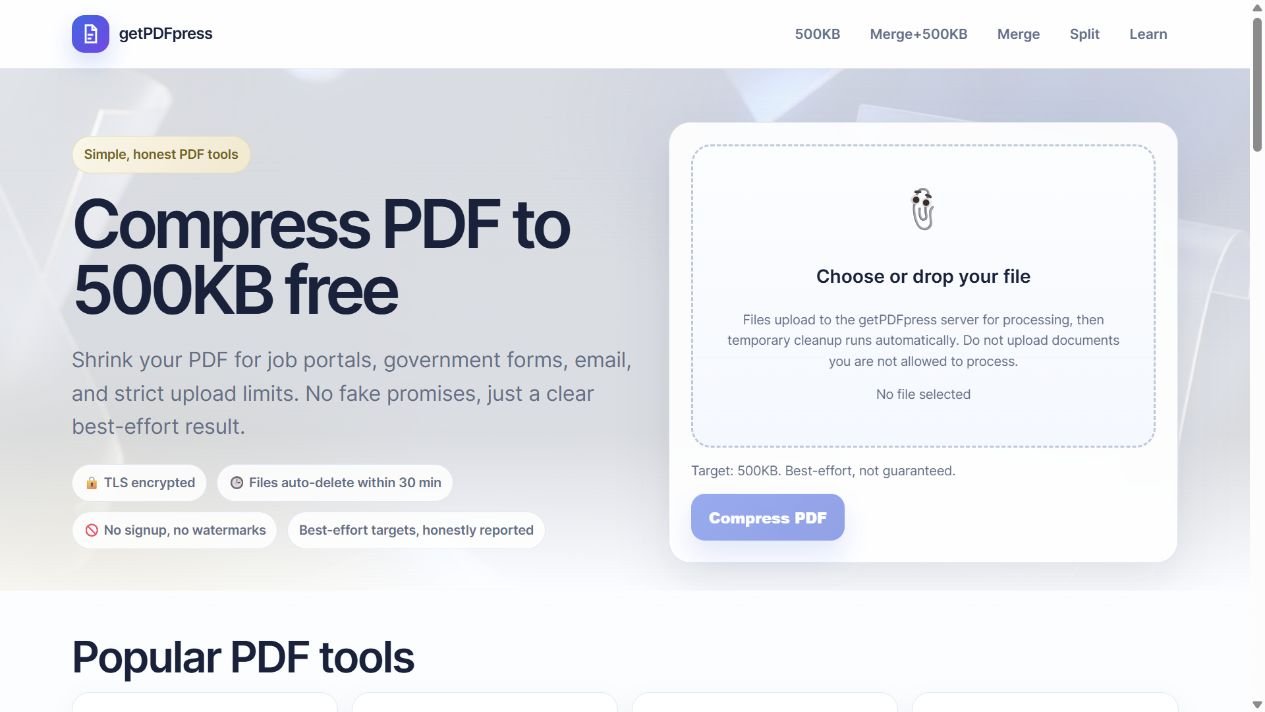
The task
A finished PDF can still be too large for the form that needs it. Processing the file is only part of the task: the user must understand the output size and recover when it misses the limit.
My contribution
I designed and built the tool, connecting upload controls, processing, result feedback and downloads.
The approach
A focused upload-to-download flow with a visible size goal, actual output-size feedback and a recovery path through retry or splitting.
What shipped
A shipped independent tool for PDF compression, merging and splitting, with working file processing and a consistent result pattern.
Visual System
Color
#14213DInk
#2563EBBrand blue
#00B894Mint
#C9A227Gold
#F4E9CDSoft gold
#FFFFFFPaper
Typeface
Inter / System Sans
AaBbCc Gg Qq 0123456789
The site declares Inter first, with platform sans-serif fallbacks.
Actions & patterns
Shared primary actions, file rows and result feedback across PDF tasks.
Explore the actual work
Prepare the document. Review the result.
Explore tool discovery, file controls and size choices in the product interface. Open getPDFpress to process a document and download the result.
01
The task & my contribution
The problem
A PDF can be ready to send and still be too large for an upload form. The user needs to choose a size goal, process the document and understand whether the result is usable.
My contribution
I designed and built getPDFpress, from tool discovery and upload controls to processing feedback and downloads. Compression, merging and splitting share a clear visual foundation while supporting different document tasks.
02
Three decisions & their tradeoffs
Decision 1: make the goal concrete
The 500 KB limit is the example task in this case. Keeping that goal next to the actual output size lets the user judge the result without doing a separate comparison. Other compression pages support different size targets.
Decision 2: distinguish completion from success
Compression can finish without meeting a target. The result names that outcome and suggests splitting the document or using another limit, rather than treating every completed operation as a successful submission.
Decision 3: reuse the flow, specialize the controls
Upload, file feedback, processing and download recur across the tools. Compression adds a size goal; merging needs multiple files; splitting needs page choices. Shared patterns keep each task familiar without exposing every setting at once.
- 01
Upload
- 02
Choose a goal
- 03
Process
- 04
Review the result
- 05
Download
03
Functional & interaction QA
Sample-file QA
The functional review uses sample documents to check compression, page preservation, merge and split output, and missing-file handling. The two result previews show a real sample file below 500 KB and another above it.
Result comprehension
The result previews distinguish a file below the 500 KB example limit from one above it. Output size and next-step wording sit together, making the recovery path inspectable alongside the completed state.
04
Reusable systems
Components organized around the task
The upload area, file row, action button, size input, progress indicator, result summary, feedback message and dialog each have a defined role. They share action styling and consistent interaction states.
Inspect states and shared styling
Use the component study below to switch between ready, processing, target met, target missed and error. Changing one action-color token updates related controls, progress and the result heading together.
Interactive component study · 2026
One shared token. Consistent states.
Explore the upload and result patterns with sample values. Switch workflow states or change the shared action color to see how the components respond. Use the product preview for file processing.
01 / Upload area
02 / File row
Sample application.pdf · 1.2 MB
Sample content only
03 / Primary button
04 / Input
05 / Progress
Demo progress, not a processing estimate
06 / Result summary
Ready to process
Original: 1.2 MB · target: 500 KB
07 / Feedback
Choose an action, then review its result.
08 / Dialog
Usage rules: communicate success in text, keep errors actionable, label inputs, announce changing feedback, and preserve keyboard focus. The same action token updates buttons, progress, and the result heading.
05
Design through implementation
From interface to working output
Node.js and Express handle the service. PDF operations use pdf-lib, image handling uses Sharp, and Multer handles uploads. The interface connects file selection to processing and a downloadable file.
Recovery is part of the flow
Selected files can be removed before processing; actions reflect file readiness; processing has a busy state. Results show actual file size and explicit target feedback, so a missed goal remains understandable.
A result above the limit
06
Accessibility
Feedback beyond color
Labeled controls, keyboard-operable file selection, visible focus and announced processing feedback support the task. Result wording communicates the file status alongside the visual treatment.
07
The finished work
What shipped
An independent web tool for PDF compression, merging and splitting, with a consistent upload-to-download experience.
What the workflow demonstrates
File readiness, processing feedback, actual output-size comparison and a recovery path. The result communicates whether the example size goal is met and what to try when it is missed.
Delivered work
A complete file workflow, including recovery.